
 ENGLISH
 ARABIC
 FRENCH
 SPANISH
A Sample-Room Review Sheet Built for Model-Level Decisions
A distributor sample room works best when every display has a clear reason to be there. A buyer should be able to identify the exact model, understand its board-style category, see which other pieces belong to the same visual direction and record what still needs manufacturer review. A coordinated review sheet turns a room full of furniture into a usable sourcing tool for sales teams, importers, fit-out contractors and project buyers.
BG Office Furniture is a Foshan, China office furniture manufacturer focused on board-style executive desks, manager desks, workstations, meeting tables, coffee tables, storage, reception furniture and partitions. This guide uses ten real 2026 product references to show how a global office furniture distributor can structure a sample-room review without converting public product information into an approved project commitment.
1. Give Every Display an Exact Identity
Begin the sheet with one row for each physical display. Record the exact model, public product URL, product category, room zone and the visible design elements in the real image. Add the destination market and the buyer group that the display is meant to support. An executive collection for project contractors should not share an unnamed row with a compact manager desk for dealer stock.
Keep observations factual. The visible worktop direction, front-panel shape, support style, open shelf and cabinet-door composition are useful review points. Anything not shown or already confirmed in writing should be marked for BG review. This gives the distributor a dependable handoff from showroom selection to project inquiry.
2. Create a Light Executive Collection Zone
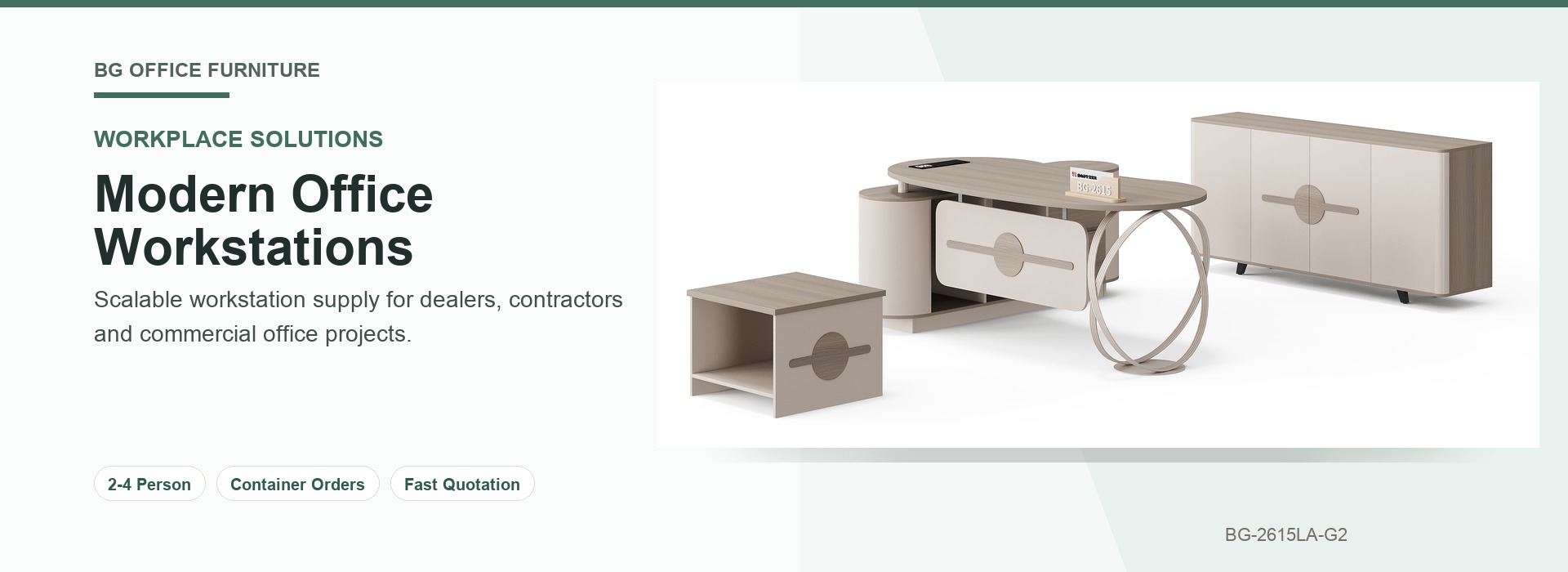
BG-2604A-B3 executive desk and office storage set provides a light wood-direction reference. Its image shows a curved worktop, angled dark supports, a shaped front panel, side storage, a low table and a wide closed cabinet. Place the desk, low table and cabinet under one coordinated collection heading while retaining the exact model as the primary identifier.
The review row can ask the sales team whether the light direction suits executive suites, director rooms or a dealer presentation area. It can also note which supporting pieces are visible and which project questions need a written response. The purpose is to capture selection logic, not to infer technical details from the render.
3. Compare Dark and Geometric Executive Directions
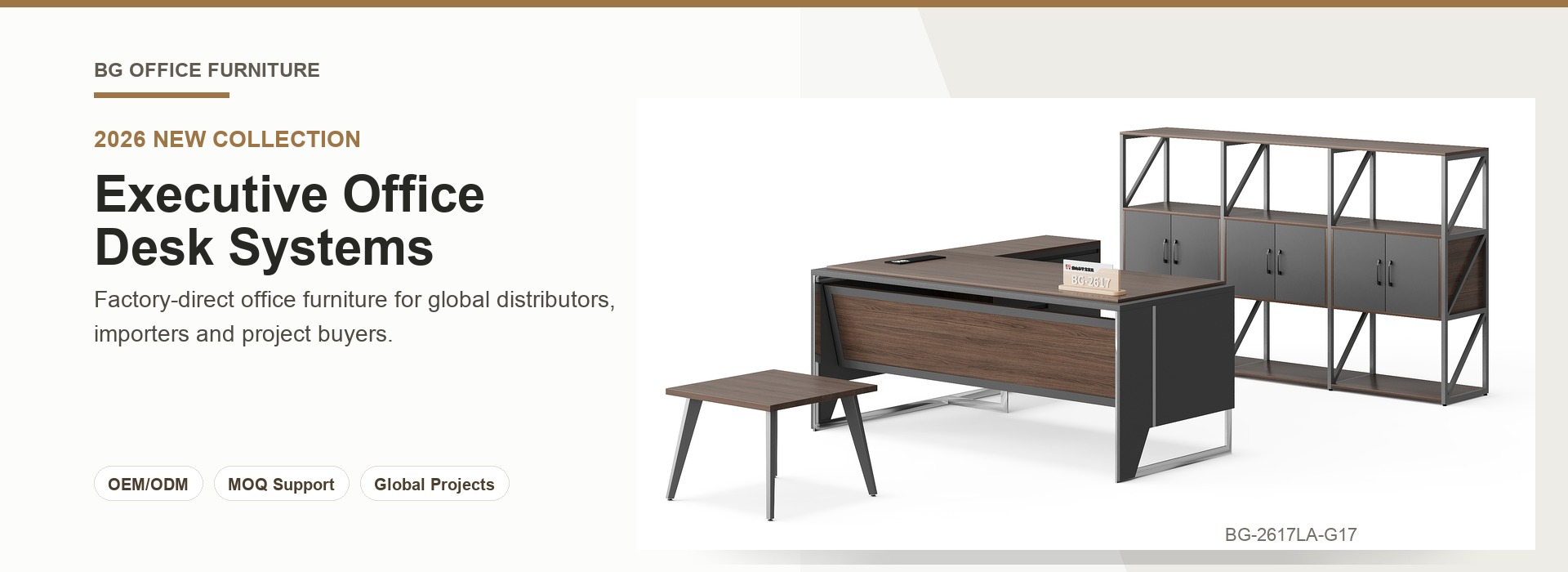
BG-2605-B13 executive office desk with X-frame offers a dark wood-direction worktop, broad angular front panel, black X-frame supports and integrated side storage on castors. Give it a dedicated row for buyers who want a stronger frame expression in a private office or executive display.
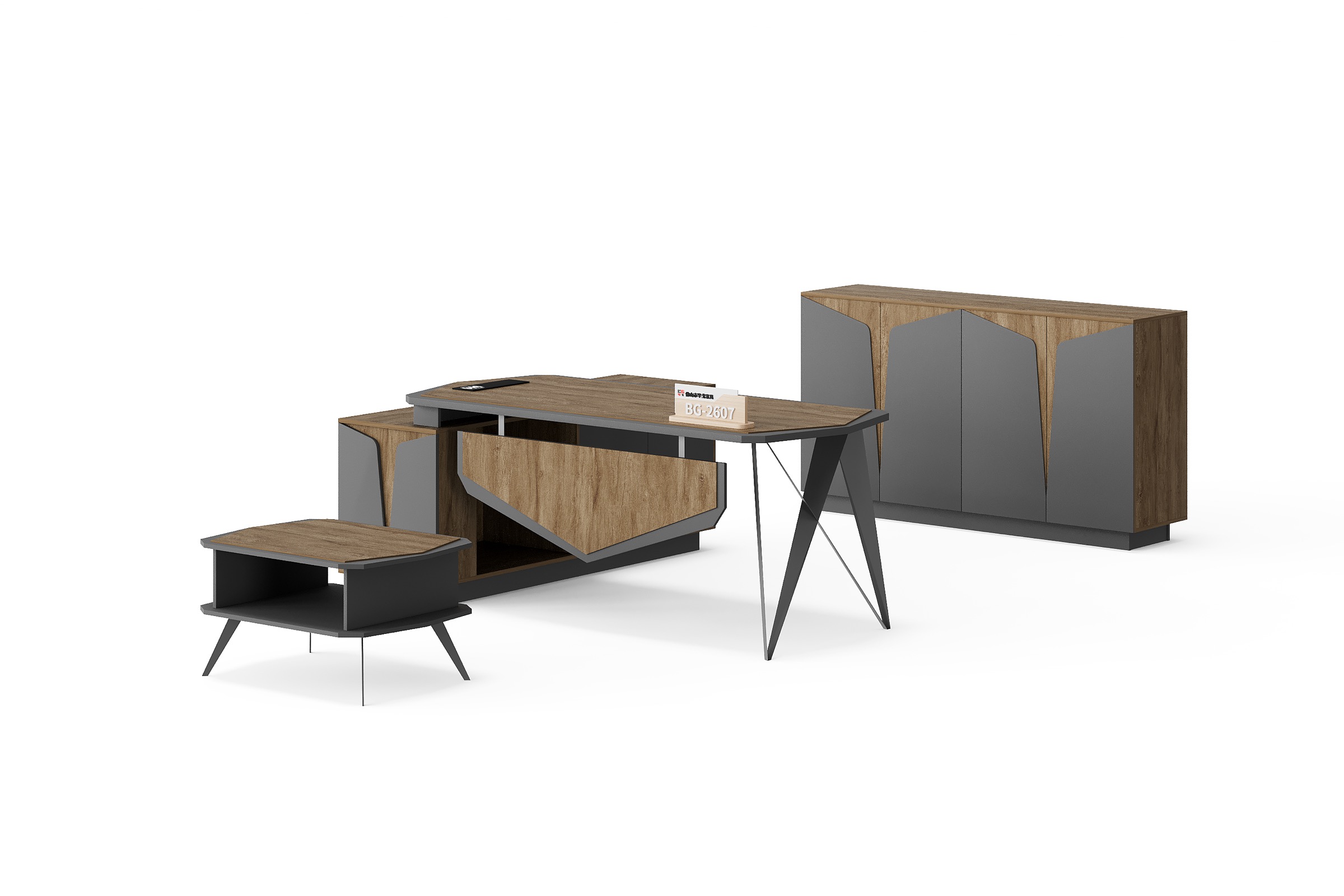
BG-2607LA-B4 executive desk and cabinet set extends the comparison into a coordinated room. The real image shows a raised worktop, angular dark support, shaped front panel, side storage, matching low table and four-door cabinet. BG-2608A-B4 executive desk and storage collection uses a layered worktop, sculpted dark front panels, side storage, a matching low table and a wide geometric cabinet.
Place these references next to each other in the executive zone, but do not merge them into one row. The different supports, front panels and cabinet patterns are valuable dealer discussion points. Separate rows also make it easier to transfer the selected model into a BOQ or floor-plan review without ambiguity.
4. Build a Manager-Desk Comparison Area
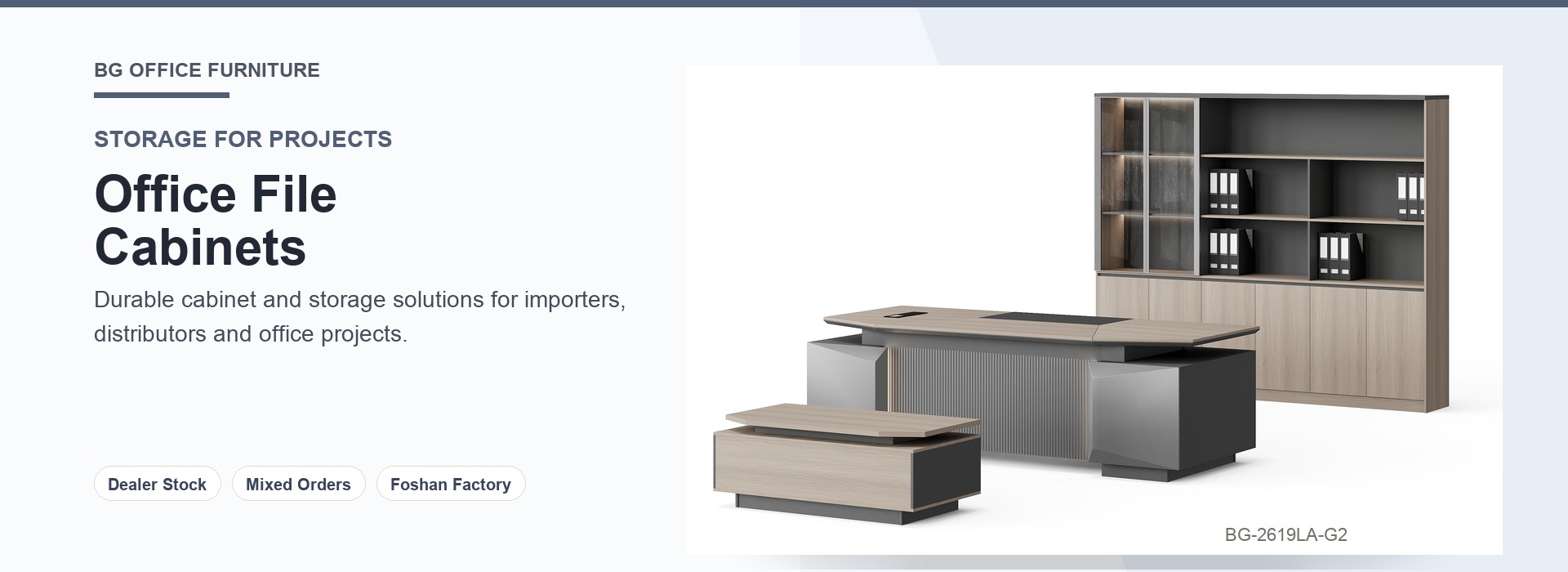
A manager area should help buyers compare working layouts without confusing them with full executive sets. BG-2610L-G17 manager desk with layered worktop shows a layered wood-direction surface, a dark side section, ribbed vertical detail, an open side niche and a broad wood-direction front panel.
BG-2611L-B4 manager desk with side storage unit shows a wood-direction worktop, dark supports, a broad grey front panel and an integrated side unit with open and closed sections. The review sheet should ask the distributor to record the intended room, user level and desired relationship between work surface and storage. BG can then review the selected reference against the submitted floor plan or room schedule.
5. Review Storage as Its Own Product Family
Storage needs model-level attention because the door composition changes the visual rhythm of an office wall. BG-2607B-G17 four-door office storage cabinet shows grey geometric fronts, wood-direction accents and a continuous dark plinth. It can support the BG-2607 executive direction while remaining a distinct cabinet product in the sheet.
BG-2608B-G17 five-door office storage cabinet is wider and uses wood-direction doors with grey geometric accent panels. Put the two cabinet references in neighboring rows and record which executive display each one supports. This prevents a cabinet from being treated as a generic background item and helps importers prepare a cleaner product-family inquiry.
6. Keep Supporting Tables Visible in the Review
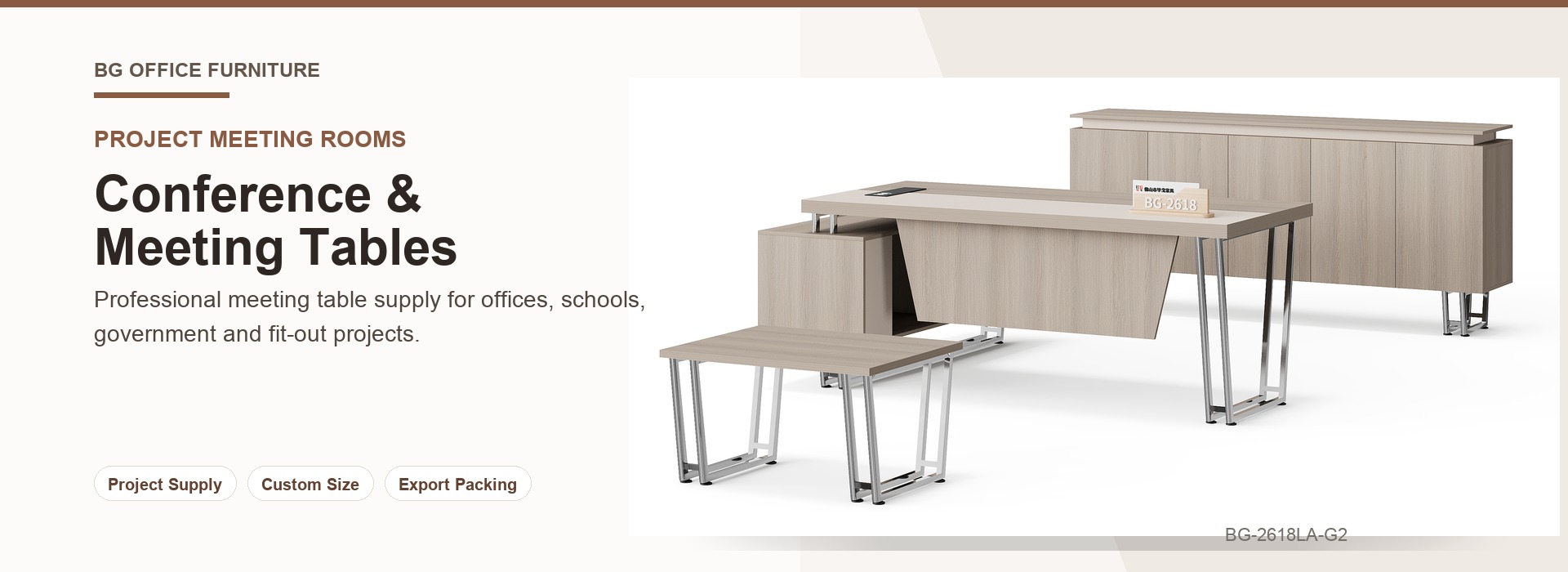
Supporting tables often disappear from a showroom record even though they complete the reception or executive waiting composition. BG-2606T-G2 square office coffee table with open shelf shows a light wood-direction top, full board-style sides and a low open shelf. It can sit near the light executive collection as an alternative supporting reference.
BG-2607T-G17 square office coffee table with shelf shows a wood-direction top with clipped corners, dark board-style sides, an open shelf and angled supports. Record the supporting table model beside the main collection that it is intended to accompany. That single step makes the sample-room sheet more useful when a buyer later requests a coordinated office package.
7. Turn the Review Sheet into an Inquiry Pack
- Use one row for every exact model and public URL.
- Identify the board-style product category and sample-room zone.
- Describe only elements visible in the real product image.
- Record the destination market and intended buyer type.
- Keep alternative collections and supporting items on separate rows.
- Add the intended room and target quantity for project review.
- Mark every unconfirmed point for written review by BG.
- Send the selected model list with the BOQ, floor plan or room schedule through the website inquiry channel.
This structure gives distributors a repeatable showroom workflow. It supports model selection, internal review and contractor discussion while preserving a clear boundary between visible public information and terms confirmed for a specific project.
Project Terms Requiring Written Confirmation
| Supplier | BG Office Furniture, Foshan, China |
|---|---|
| Product Scope | Board-style desks, workstations, meeting tables, coffee tables, storage, reception furniture and partitions |
| Buyer Types | Global distributors, importers, wholesalers, fit-out contractors and project buyers |
| MOQ | Contact BG for confirmed project terms based on the selected model, quantity and scope |
| Lead Time | Contact BG for a confirmed production schedule after project review |
| Shipping Port | Contact BG for the confirmed loading port, route and trade terms |
| OEM/ODM | Subject to feasibility review and written confirmation by BG |
No general website statement replaces BG's written confirmation for a selected model and project.